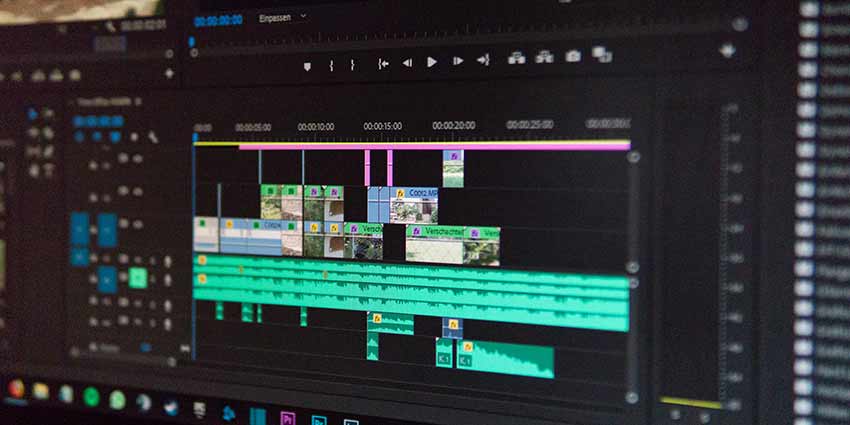
Podcast editing is where a good recording becomes an episode people can actually enjoy from start to finish. Whether you are learning how to edit a podcast for the first time or tightening an established show, the goal is not perfection… it is clarity, momentum, and a listener experience that feels easy to follow. For creators in Orlando, FL, and beyond, OASIS Studios supports that process with practical Podcast Services, including editing support that helps your content sound polished and stay consistent.
What should you focus on first when editing a podcast?
Start by making the episode easier to listen to, not by removing every tiny imperfection. The most important edits usually improve audio clarity, pacing, structure, and consistency, because those are the things listeners notice when deciding whether to keep listening. If you are looking for the best ways to edit podcasts for audience growth, think less about making the episode “perfect” and more about making it frictionless.
A strong edit helps the audience understand who is speaking, why the topic matters, and where the conversation is going. That means cutting distractions, balancing volume, tightening long pauses, and making sure the strongest material is easy to reach.
A natural laugh, thoughtful pause, or quick verbal stumble can stay if it makes the conversation feel human.

Build a workflow before you touch the timeline
One of the best practices for podcast editing workflow optimization is to separate the process into stages. When you jump between fixing noise, cutting content, adding music, exporting files, and second-guessing every sentence, editing becomes slow and exhausting. A repeatable workflow keeps decisions simple and helps you publish consistently.
A practical workflow can look like this:
- Organize your files. Save the raw recording, separate speaker tracks, music, graphics, notes, and exports in one clearly labeled folder.
- Listen for structure first. Mark the strongest opening, confusing sections, repeated points, and moments that need trimming.
- Clean the audio. Reduce background noise, adjust levels, and fix obvious problems before detailed cuts.
- Edit for content. Remove tangents, long silences, interruptions, and repeated explanations.
- Edit for pacing. Tighten transitions, shorten rambling intros, and make sure the conversation keeps moving.
- Add production elements. Place intro music, outro music, sponsor reads, or segment breaks only after the main edit is stable.
- Review the final export. Listen on headphones and a normal speaker so you catch issues that may not appear in one setup.
This approach is especially helpful for podcast editing for beginners because it prevents over-editing. Instead of trying to solve everything at once, you move through the episode with a clear purpose at each step.
Audio quality keeps people listening
Listeners may forgive a casual conversation, but they are less patient with uneven volume, harsh background noise, or voices that are hard to understand. Learning how to edit podcast audio starts with the basics: clear speech, balanced tracks, and consistent loudness. These improvements make the episode feel more professional without requiring a heavily produced style.
Begin by balancing each speaker so no one sounds too loud or too far away. If you have separate tracks, adjust them individually before applying global processing. Use noise reduction carefully, because aggressive settings can make voices sound thin or metallic. A light touch is usually better than a dramatic fix.
Pay attention to mouth clicks, chair squeaks, keyboard taps, air conditioning, and table bumps. You do not need to remove every breath, but you should remove distractions that pull attention away from the speaker’s point. The best edit is often invisible: the listener simply feels like the conversation is smooth.
How do you edit podcasts recorded in different locations?
The best practices for editing podcasts recorded in different locations begin before the edit: record each speaker on a separate track, ask everyone to use headphones, and capture the cleanest local audio possible. Remote recordings often vary in room tone, microphone quality, internet stability, and background noise, so the editor’s job is to make those differences feel less obvious.
The goal is not to make every voice identical, but to create a balanced listening experience.
If you are figuring out how to record a podcast with two hosts remotely, prioritize separate local recordings whenever possible. Cloud or online recordings can be convenient, but a local track from each host gives you more control when syncing, cutting, and repairing audio. Ask both hosts to clap once at the start or use a verbal countdown so tracks are easier to align.
For remote and multi-host episodes, focus on these edit points:
- Sync the tracks before cutting. If tracks drift out of alignment, fix the sync first so conversation timing stays natural.
- Balance each voice separately. Different microphones and rooms can make one host sound close and another distant.
- Trim cross-talk carefully. Remove interruptions only when they confuse the listener; keep natural reactions when they add energy.
- Control background noise by speaker. A noisy track may need more cleanup during silent sections than during speech.
- Use room tone to smooth cuts. A little consistent background sound can make edits feel less abrupt.
Remote editing takes patience, but it also gives you flexibility. You can interview guests from anywhere, co-host across cities, and still publish an episode that sounds intentional.
Strategic cuts improve audience growth
Editing is not only technical. It is also editorial. If an episode takes too long to reach the main idea, repeats the same point several times, or wanders through inside jokes before delivering value, new listeners may leave early.
This is where the best ways to edit podcasts for audience growth become more strategic. Look for the moment where the episode truly becomes interesting and consider moving that energy closer to the beginning. A short cold open, a compelling guest quote, or a clear promise of what the listener will learn can make the first minute stronger.
Useful content edits include:
- Cutting long setup that does not help the listener understand the topic.
- Moving a strong insight earlier in the episode.
- Removing repeated answers or circular explanations.
- Shortening housekeeping notes unless they are essential.
- Adding a brief transition when the conversation changes direction.
- Keeping emotional, funny, or surprising moments that reveal personality.
Good editing respects the listener’s time. You are not removing character; you are clearing the path so the best parts of the conversation stand out.
Tools should match your show, not your ego
There are many ways to edit a podcast, and the right tool depends on your format, skill level, and production goals. A solo educational show may need simple cleanup and tight pacing. A remote interview may require multitrack editing, noise control, and careful volume matching. A narrative show with music, clips, and sound design needs more detailed timeline control.
For podcast editing for beginners, simple software can be enough. Free or beginner-friendly audio tools are useful when you mainly need trimming, level adjustment, and basic cleanup. Text-based editing tools can also help creators who think in words more than waveforms, because they let you remove sections by editing a transcript.
More advanced creators may prefer a digital audio workstation with multitrack control. This gives you more precision when handling several hosts, guest tracks, music beds, ads, and sound effects. The tradeoff is a steeper learning curve, so choose a tool you can use consistently rather than one that slows every episode down.
For video-first or hybrid creators, consider tools built for both audio and video. If your podcast is also published to YouTube, social clips, or short-form platforms, your editing decisions need to support both the ear and the eye. You can explore professional creative tools like Adobe Premiere Pro if you want an external reference point for video editing workflows.
Music and sound design should support the voice
Music can make a podcast feel polished, but it can also get in the way. Intro music that runs too long delays the content. Background music that is too loud makes speech harder to understand. Sound effects that appear too often can make a serious conversation feel forced.
Use music with intention. A short intro can set the tone, while a clean outro can signal the end and make the show feel complete. Segment transitions can help listeners reset, especially in episodes that move through several topics. Keep volume low under speech and avoid competing frequencies that make voices harder to hear.
Sound design works best when it clarifies the episode’s structure or supports the mood. If it does neither, leave it out. Silence, when used well, can be more powerful than another effect.

Video editing turns podcast episodes into more content
Many podcasts are no longer audio-only. A single recording can become a full video episode, short clips, social posts, promotional teasers, and highlight reels. That is why editing your podcast with video in mind can help you get more value from every conversation.
OASIS Studios offers a video editing service designed to help creators turn raw podcast recordings into polished, shareable content. This can be especially useful if you want clean cuts, stronger pacing, better visual flow, and clips that feel ready for your audience across platforms. For podcasters in Orlando, FL who want professional support without handling every timeline detail themselves, OASIS Studios can help make the final product look intentional and consistent.
If you need broader production support, visit the studio’s Podcast Services page to explore related options. When you are ready to turn your recorded episode into polished video content, book the video editing service here and move your next episode closer to publish-ready.
A simple editing checklist for every episode
Before you export, use a final checklist. This keeps quality consistent and helps you avoid small mistakes that can make an otherwise strong episode feel unfinished.
- The episode starts with a clear hook or useful introduction.
- Speaker volume feels balanced from beginning to end.
- Long pauses, false starts, and major distractions are removed.
- The conversation still sounds natural, not robotic.
- Music is brief, properly licensed, and not overpowering.
- Remote tracks are synced and checked for drift.
- Sponsor messages, calls to action, or announcements are placed cleanly.
- The final file is reviewed on more than one listening device.
- Video cuts, captions, and framing are checked if publishing a video version.
- File names and exports are organized for future reference.
A checklist may feel basic, but it protects your consistency. Consistency is one of the quiet forces behind audience trust.
Make editing sustainable
The best editing process is one you can repeat. If each episode takes so long that you dread publishing, the workflow needs to change. Not every show needs cinematic production, and not every pause needs to disappear.
Decide what level of editing fits your format. A casual interview may need cleanup, pacing, and light structure. A teaching episode may need tighter organization, so each point lands clearly. A story-driven episode may deserve more detailed arrangement, music, and sound design.
As your show grows, your time becomes more valuable. Outsourcing parts of the process, especially audio cleanup, video editing, and clip creation, can free you to focus on booking guests, improving topics, and connecting with listeners. That is often where growth really happens.
Final takeaway
Podcast editing is not about removing every human moment. It is about helping listeners stay engaged, understand the conversation, and feel like their time was well spent. Build a repeatable workflow, clean up the audio, shape the story, and choose tools that match the way you actually create.
If video is part of your podcast strategy, OASIS Studios can help turn your recordings into polished, audience-ready content. Book the video editing service today through the booking page and give your next episode a cleaner, more professional finish.