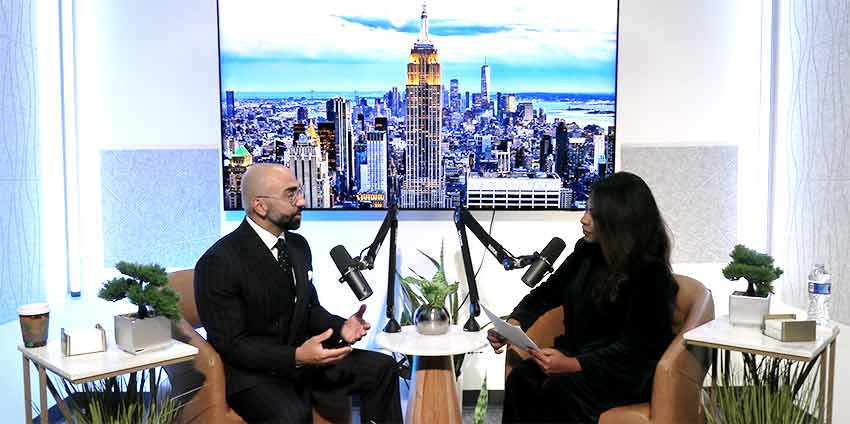
If you’re planning to record a podcast, there’s one decision worth making before the session: do you want to record video too?
You don’t have to. An audio podcast can work perfectly well on its own. But if you’re already bringing a guest into the studio, setting up microphones, and spending 30 or 45 minutes having a conversation, recording video at the same time gives you more options afterward.
Here’s what to consider before deciding.
Start With Where You Want to Publish
Think about where you want people to find your podcast. If your plan is strictly an audio show, adding cameras may not be necessary.
If you also want to publish episodes on YouTube or share parts of the conversation on social media, video podcast recording gives you the footage you’ll need.
It’s better to make this decision before recording rather than afterward.
You can always decide not to use the video. You can’t go back and capture the conversation again once everyone has left the studio.
You Don’t Have to Post the Entire Video
Recording a podcast on video doesn’t mean you have to upload a 45-minute video everywhere.
The full conversation can stay on your podcast platform while shorter sections are used elsewhere.
Let’s say your guest gives a particularly good answer that lasts about a minute. That section could be edited into a Reel or Short.
Later in the conversation, the guest tells a story that would work well on LinkedIn. That can become another video.
You’re working from the same recording, but each piece has a different use.
Plan a Few Questions With Short Clips in Mind
Before the podcast, write down the main subjects you want to discuss. Then look for a few questions that could produce useful answers on their own.
For example, instead of asking: “Tell me about real estate.” Ask: “What’s one mistake you see first-time buyers make before they start looking for a home?”
The second question gives the guest something specific to answer. Even if someone never watches the entire podcast, that answer can still make sense as a short clip.
You don’t need to structure the whole interview this way. A podcast should still feel like a conversation. You’re simply giving yourself a few moments that may be useful later.
Video Changes How You Prepare for the Studio
When you’re recording audio only, nobody listening knows what you’re wearing or what’s sitting on the table.
Cameras change that.
Before a video podcast, take a few minutes to think about clothing, posture, anything visible around you, and how you want your business represented.
You don’t need to dress formally unless that fits your business. You just want to look the way you’d be comfortable presenting yourself to a customer.
It’s also worth reminding guests ahead of time that cameras will be recording. Nobody should arrive expecting an audio-only conversation and find out five minutes before the interview that they’re going to be on video.
Don’t Forget About the Guest
Video can be useful for the person you’re interviewing too.
If you create a few finished clips from the conversation, your guest may want to share them with their own audience.
That can give both of you additional material without scheduling another recording.
Before publishing clips, make sure everyone involved understands how the recording will be used. This is especially important when you’re interviewing customers, employees, or people outside your organization.
Audio Still Matters
Adding cameras doesn’t make the microphones less important.
Someone might watch a podcast on YouTube, listen to it while driving, or hear a short clip while scrolling through social media.
Clear audio matters in every one of those situations.
That’s why a video podcast should still be treated as a podcast first. The cameras add another way to use the conversation; they shouldn’t get in the way of it.
Think About What You Want to Leave With
Before your recording session, make a simple list.
Maybe you want:
- One complete podcast episode
- A video version for YouTube
- Three short clips for social media
- A short introduction from the host
- A promotional clip for the next episode
Knowing this ahead of time can help you plan the conversation and make sure you record everything you need while you’re already in the studio.
Video Podcast Recording at OASIS Studios
At OASIS Studios in Orlando, our Seminole Podcast Studio can be used for both podcast audio and video recording.
If you want video, think about it before the session rather than treating it as something to figure out later. Decide where the content will be published, what you want from the conversation, and whether there are particular questions you’d like to turn into shorter clips.
Then, when the interview is finished, you won’t just have a podcast episode. You’ll have a recording you can use in several different ways.